Wix is one of the most common destinations for people leaving Weebly, not because of marketing, but because the fit is logical. Both are hosted platforms with visual editors and no server management. The migration does not require learning a fundamentally different way of building websites. What changes is the ceiling: what you can design, what you can connect, how much the platform grows alongside your business.
This review is written specifically for Weebly users evaluating the switch. It does not attempt to cover every Wix feature in isolation. Instead it focuses on the differences that actually matter in daily use – what Wix makes genuinely easier, where the trade-offs are real, and what to expect once your site is live on the new platform.
Wix is a fully hosted website platform. Infrastructure, security, software updates, and performance are managed by Wix – you never touch a server, configure a hosting environment, or troubleshoot a plugin update that broke the site. You log in, build and edit pages, and publish changes directly.
The distinction worth drawing for Weebly users is not between hosted and self-hosted – both Weebly and Wix are hosted. The distinction is in what the platform assumes about how the website will be used. Weebly was built around the idea of publishing a site and leaving it largely unchanged. The editor discourages structural experimentation. The template system makes significant layout changes difficult. The implicit assumption is that the site is mostly finished.
Wix assumes the opposite. The platform is designed for websites that are actively managed: new pages added for new services, landing pages built for campaigns, navigation updated as the business evolves, content tested and refined over time. For a business that wants its website to be a working tool rather than a published document, this difference in design philosophy has practical consequences every time someone opens the editor.
Where Wix Feels Strong in Practice
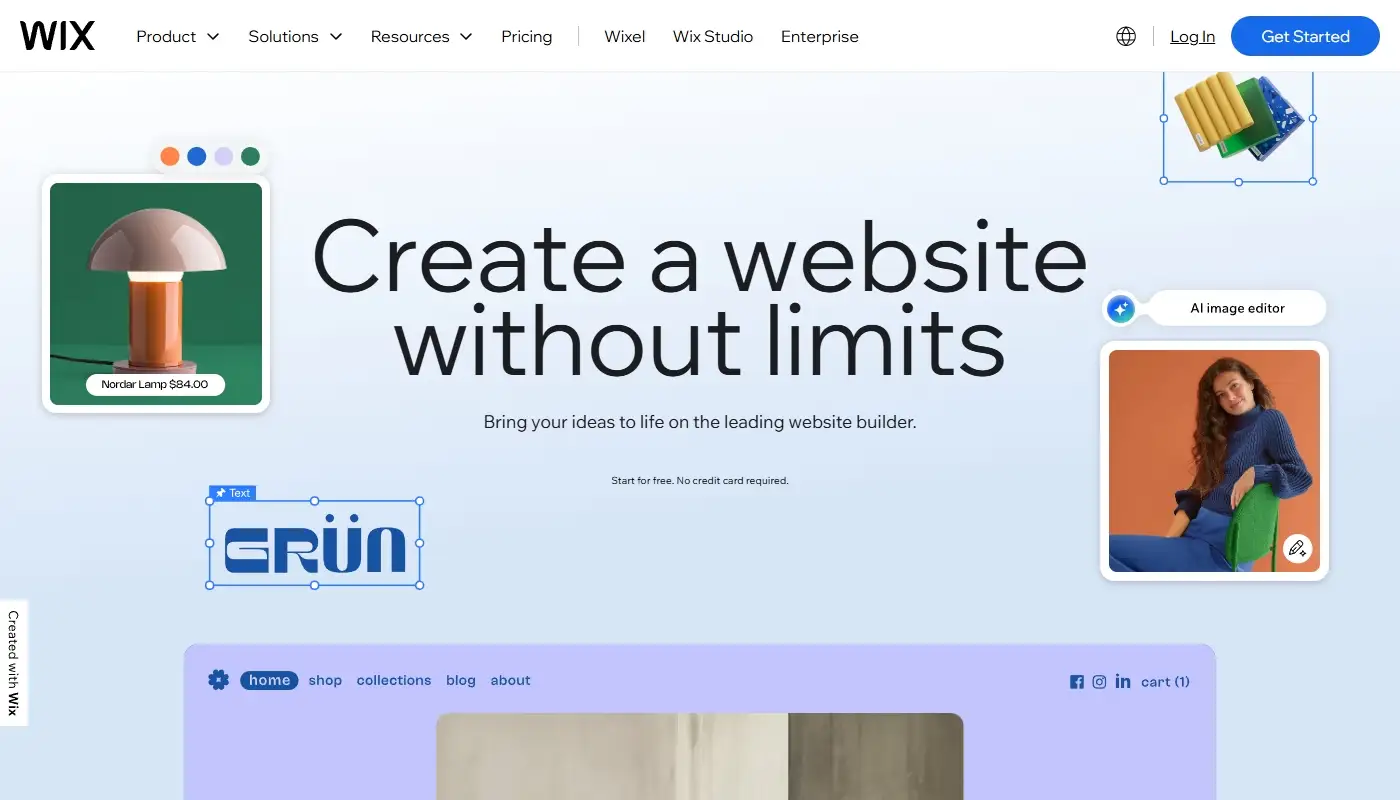
Editor and layout control
The most immediate difference former Weebly users notice is how the editor responds. In Wix, sections can be restructured, elements repositioned, and page layouts adjusted without fighting the template. You are not limited to the arrangement the template established – you can build pages around the logic of the content and the journey you want visitors to take. For service businesses especially, this matters: a page that guides a visitor from problem to solution to contact form is a fundamentally different asset from a page that simply displays information.
Templates built for conversion
Wix’s template library is large and regularly updated. More importantly for Weebly users, the templates are structured around how business pages actually need to work – hero sections with clear value propositions, social proof blocks, FAQ sections that address objections, and calls to action positioned where visitors are most likely to act. Rebuilding a dated Weebly site on a current Wix template often produces a result that looks and performs significantly better, without requiring a complete rebrand.
Built-in business tools
A recurring frustration on Weebly is the gap between what the site needs to do and what the platform natively supports. Booking systems, inquiry forms with conditional logic, basic CRM functionality, email automation, and restaurant or event management all require third-party tools that embed awkwardly rather than integrating cleanly. On Wix, many of these capabilities are built into the platform. The specific value depends on the business type, but the operational result is fewer separate tools to manage, fewer embedding workarounds, and a more coherent experience for both the site owner and the visitor.
AI tools and next-generation search
Wix has invested substantially in AI-powered features that have no equivalent in Weebly’s frozen ecosystem. These include AI-assisted content generation, automatic meta tag suggestions, design assistance that identifies spacing and layout improvements, and optimization tools for AI-powered search engines – the systems behind ChatGPT, Perplexity, and Google AI Overviews that are increasingly shaping how users discover businesses online. For a business that cares about search visibility, this is a meaningful capability gap between the two platforms.
If you are still assessing which of your current frustrations are platform limitations versus structural issues with the site itself, the Weebly Review separates those two categories clearly.
Wix and SEO: Strong Enough for Most Business Sites
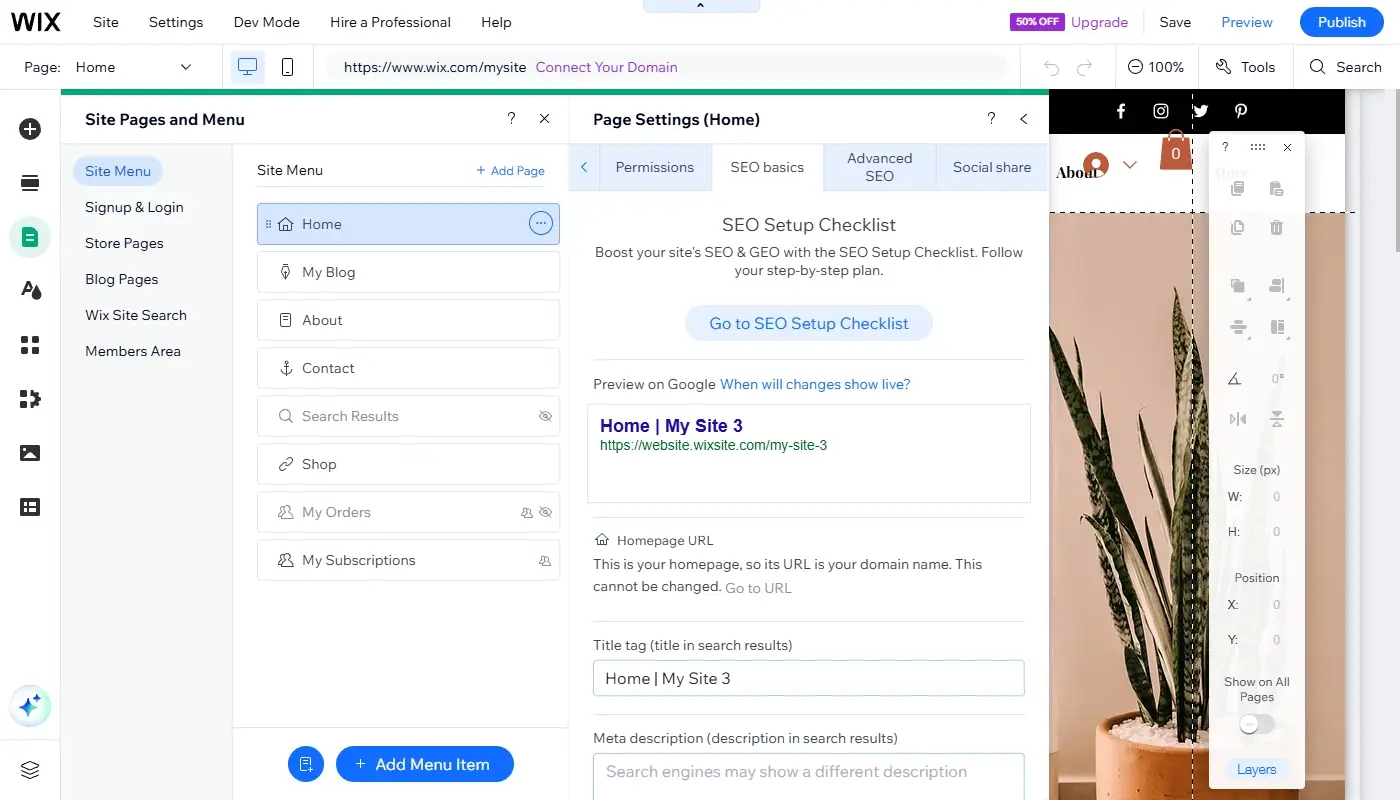
Wix’s SEO reputation has shifted considerably. The platform now supports every foundational SEO element a typical business website needs: editable page titles and meta descriptions, clean URL slugs, image alt text, indexation controls, canonical tags, automated redirects, XML sitemaps, Google Search Console integration, and structured data markup across key page types.
For local service businesses, consultants, and small ecommerce operations – the businesses most likely to be migrating from Weebly – this covers the full practical scope of what on-page SEO requires. You can build location pages, service pages, FAQ content, and a blog with properly structured metadata and internal linking, and the technical foundation will support those pages ranking.
Wix has also introduced GEO (Generative Engine Optimization) tools, which optimize content for visibility in AI-powered search environments. As AI-driven results from ChatGPT, Perplexity, and Google become a larger share of how users discover businesses, these tools give Wix users a meaningful advantage over platforms – including Weebly – that have made no investment in this area.
Where Wix reaches its limits is in advanced technical SEO scenarios: deeply custom content taxonomies, server-level performance tuning, or unusual structured data requirements that fall outside standard templates. For those edge cases, WordPress or Webflow offer more control. For the vast majority of Weebly users making this transition, those scenarios do not apply and the Weebly vs Wix comparison covers this practical gap in detail.
The Trade-Offs to Know Before You Switch
The hosted ecosystem trade-off
Working inside Wix means working inside Wix’s boundaries. You cannot install arbitrary software, modify server configuration, or access the underlying codebase the way you can with a self-hosted WordPress installation. For the businesses most likely to be moving from Weebly, this is not a meaningful constraint – they were never operating at that level on Weebly either. But it is worth naming honestly: if your site needs highly unusual functionality, rare integrations, or custom application logic, Wix will eventually reach a point where it cannot accommodate the requirement. That point is considerably further out than Weebly’s ceiling, but it exists.
Template switching
One limitation specific to Wix that surprises some new users: once you have built on a template, switching to a different template is not a one-click operation. The content does not transfer automatically to a new layout. If a complete visual redesign becomes necessary, it typically means rebuilding the site structure rather than swapping a theme. The practical implication is that template selection at the start of a migration matters – it is worth taking time to choose a starting point you can grow into rather than one that looks appealing but needs replacing in twelve months.
Pricing relative to Weebly
The monthly cost of Wix is higher than a legacy Weebly subscription. That comparison is less useful than it first appears, because Weebly’s pricing has not kept pace with its stagnating feature set – you are paying for something that is getting worse relative to alternatives, not better. Wix’s pricing reflects a platform that is actively developed, includes hosting and maintenance, and replaces several tools that would otherwise be separate line items. The net cost difference for a business running a real marketing funnel is often smaller than the headline plan prices suggest.
For a broader view of the alternatives and how Wix compares across the category, the Best Weebly Alternatives article covers the full landscape.
Pricing: How to Think About It Realistically
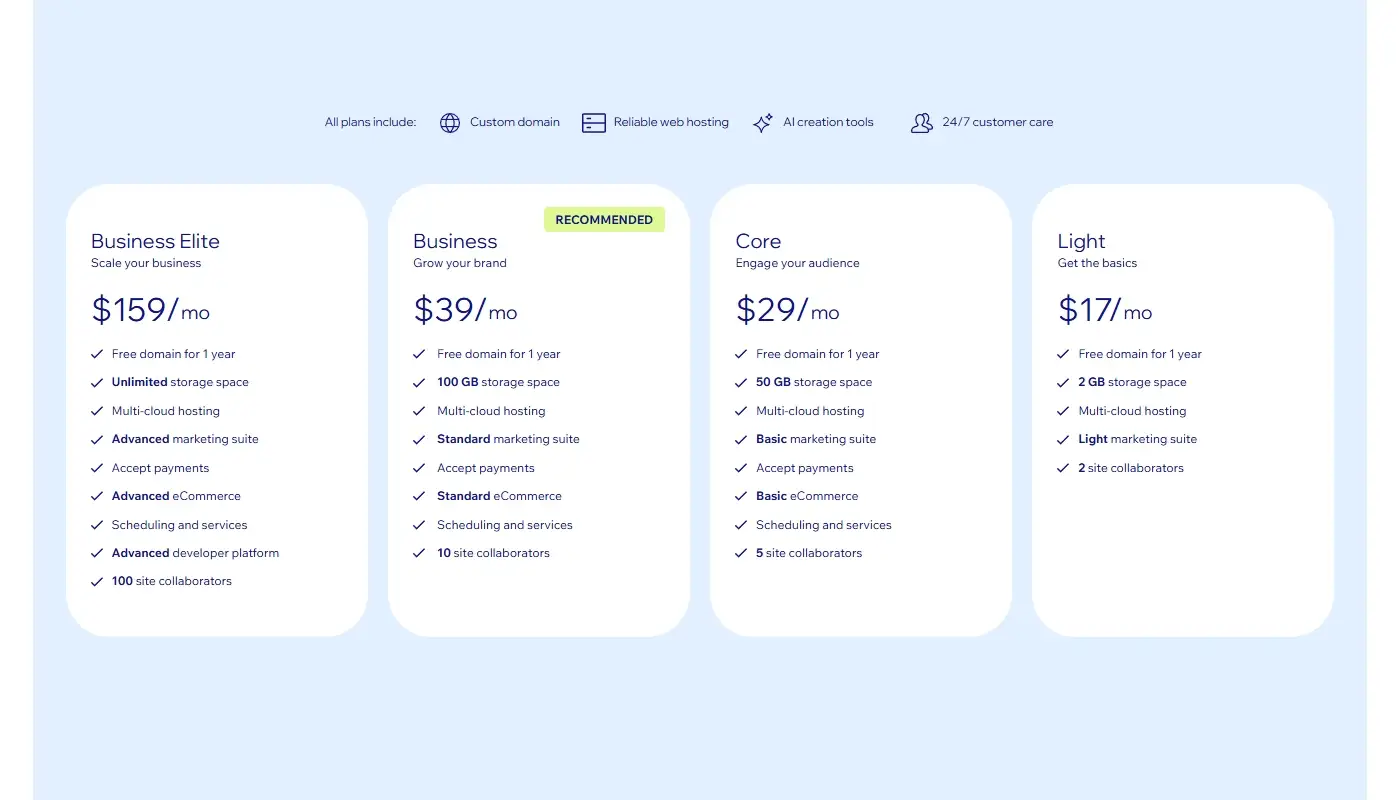
Platform pricing is most usefully evaluated as a total cost rather than a subscription line item. The subscription is what you pay directly. The total cost includes the time spent working around limitations, the integrations purchased separately because the platform does not support them natively, and the campaigns or pages that never launch because the editor makes them too difficult to build.
On Weebly, the subscription may be lower – but the hidden cost of constraint is real. A service page that takes three hours to get looking acceptable because the layout system fights the design. A lead form that requires a third-party embed because the native form builder lacks the fields you need. A redesign that gets postponed indefinitely because starting over feels less painful than working within the template.
Wix’s pricing reflects a platform where those constraints are substantially reduced. Pages that would take hours on Weebly take minutes. Integrations that required workarounds are often native. The speed difference compounds: every week that a business can publish content, test layouts, and launch campaign pages without friction is a week the website is working, not waiting.
For most businesses migrating from Weebly, the right question is not “Is Wix cheaper?” It is “Does the additional capability justify the additional cost?” For sites that are actively used as marketing and sales assets, the answer is typically yes.
What Changes After a Weebly to Wix Migration
Most Weebly owners moving to Wix are not looking for a complete reinvention. They want the business they have built to be represented by a website that reflects it accurately – one that looks current, functions reliably, and can be updated without the platform creating friction at every step.
A well-executed migration achieves that without discarding what the existing site has already earned. Page content, brand identity, and navigation structure carry over. What improves is everything the platform was constraining: layout quality, mobile behaviour, form functionality, SEO foundations, and the ability to make changes quickly when the business needs them.
The redirect setup is the technical step that most directly protects the value of the existing site. When URLs change during a platform migration and they often do – a properly implemented redirect plan ensures that visitors who bookmarked pages, links shared across the web, and any search rankings that pages had accumulated all land correctly on the new site rather than on error pages. Skipping this step is the most common cause of avoidable traffic loss after a migration.
The migration is also a natural opportunity to audit the existing site structure: identify pages that are outdated or redundant, consolidate content that is spread too thin, and align the navigation with how prospective customers actually move through the site. Done well, the result is not just Weebly rebuilt in Wix – it is a better version of the site on a platform equipped to keep improving it.