
Wix is one of the most common destinations for people leaving Weebly. The reason is rarely trendy features or hype. Most Weebly site owners switch because they want more control over layout, faster editing, more modern templates, and a platform that supports marketing workflows without constant workarounds.
This review looks at Wix through that exact lens. We focus on what Wix makes easier compared to Weebly, where the trade-offs are, and what the day-to-day experience feels like once your site is rebuilt inside Wix.
What Wix Is Designed to Be
Wix is a hosted website platform with a visual editor. Hosting, security updates, and core infrastructure are handled for you. You log in, build pages, publish, and manage your site without touching servers or code.
Unlike other builders like Weebly that prioritize simplicity over flexibility, Wix aims to give non technical users more control without turning the site into a developer project. It is designed to support business websites that evolve: new services, new landing pages, seasonal campaigns, content updates, and lead generation improvements.
If you are coming from Weebly, this is an important shift. Weebly often feels like it is meant to stay mostly static. Wix is built for constant iteration.
Where Wix Feels Strong in Practice
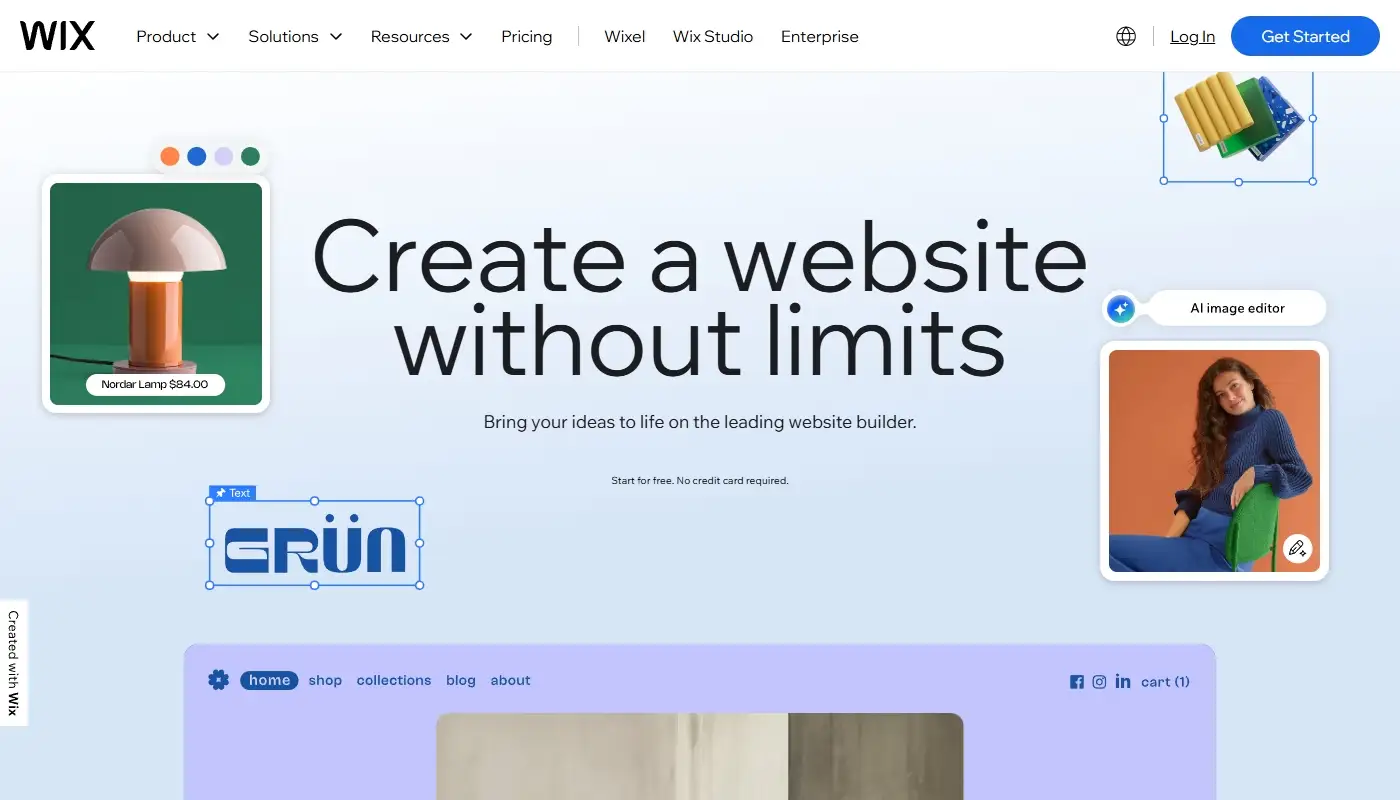
The biggest immediate difference is layout freedom. Wix gives you more ways to structure a page, adjust sections, and create modern, conversion oriented blocks. For service businesses, this matters because your website is not only a brochure. It is a sales asset. You need pages that guide visitors to action.
Wix also has a large library of templates and design patterns. Many of them look current and are built around marketing logic: clear hero sections, benefit blocks, testimonials, FAQ areas, and strong calls to action. A Weebly site that has started to look dated can often feel “new” again just by rebuilding it on a modern Wix template, without changing the brand itself.
Another advantage is the ecosystem around Wix. Wix has a growing set of built in business tools that Weebly owners often try to patch together using separate services. Things like contact management, scheduling, basic email marketing tools, forms, and automation features are available inside the same platform. The specific value depends on your business, but the general result is fewer tools to manage.
If you are still mapping your current Weebly site’s limitations, our Weebly review 2025 helps you identify which pain points are truly platform related, and which are more about site structure.
Wix and SEO: Strong Enough for Most Business Sites
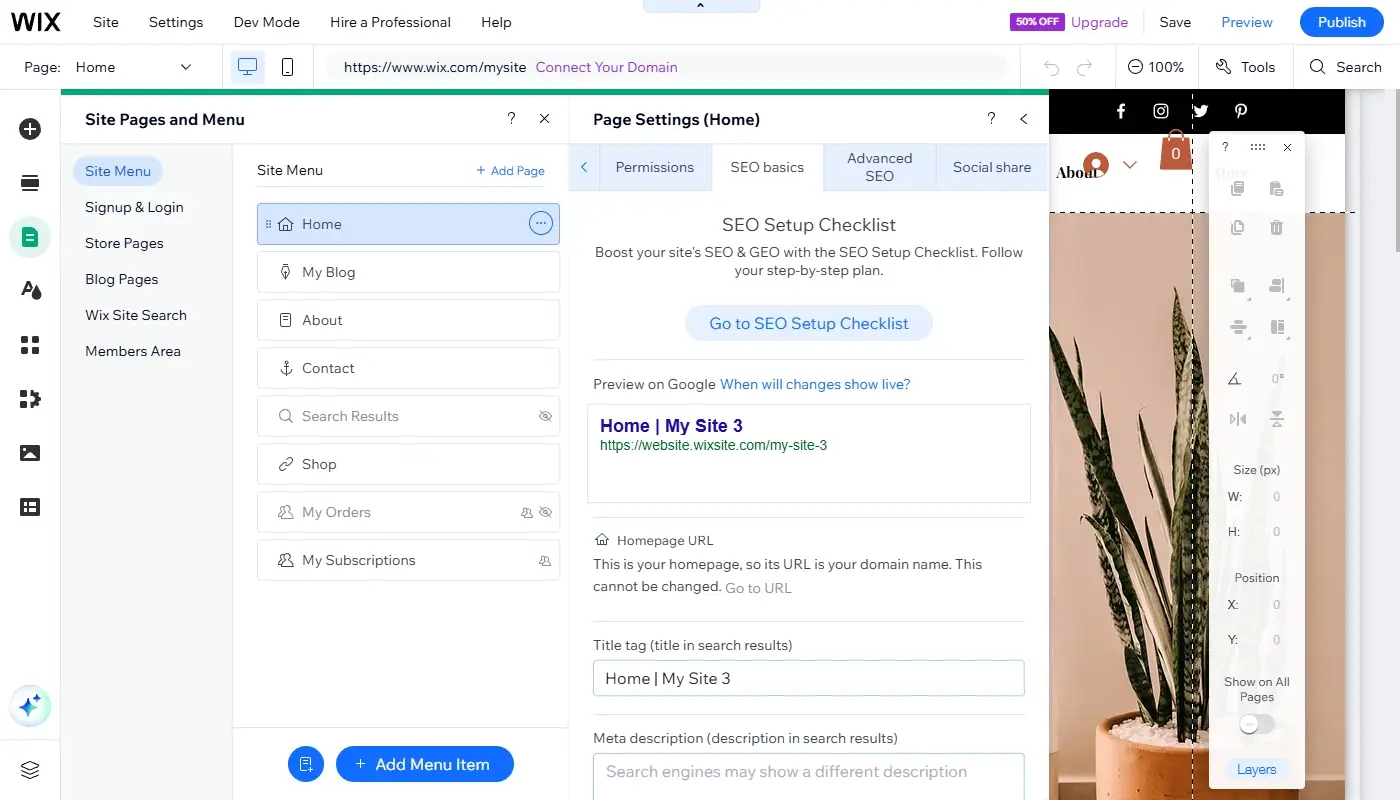
Wix used to have a reputation for weak SEO. In 2025, that is outdated for the majority of business websites. Wix supports page titles, meta descriptions, clean URL slugs, redirects, image alt text, indexation controls, and structured data options in many templates.
For local businesses and service sites, this is typically enough. You can create location pages, service pages, FAQs, and blog content with proper on page SEO. You can also manage redirects, which is essential during a Weebly to Wix move.
Where Wix can feel limiting is deep technical control. If your SEO strategy depends on custom content models, unusual taxonomy, or server level tuning, WordPress or other systems might offer more levers. But for most Weebly owners, the goal is not maximum technical SEO freedom. The goal is a stable, editable site that can publish content consistently.
When it comes to choosing between Weebly and Wix, this practical difference becomes one of the key points to consider – especially for businesses that want predictable SEO outcomes without heavy maintenance.
The Trade-Offs to Know Before You Switch
Wix is hosted. That means you work inside Wix’s ecosystem. You cannot treat it like an open system where you can install any software or build anything at the server level. For many businesses, that is not a problem. In fact, it is why they choose Wix.
But if your site is highly custom, depends on rare third party integrations, or needs unusual functionality, Wix can feel restrictive. It is powerful within its lane, but it is not trying to become a full open platform.
Another trade off is cost visibility. Wix pricing is a subscription and features depend on plan tier. This can feel expensive compared to a legacy Weebly plan, but it also includes hosting, maintenance, and many tools that would otherwise be separate expenses or separate services.
If you want to compare Wix with more options before committing, the fourth article in this set, Best Weebly alternatives, can help you see whether Wix is truly the best target or whether another platform is a better match.
Pricing: How to Think About It Realistically
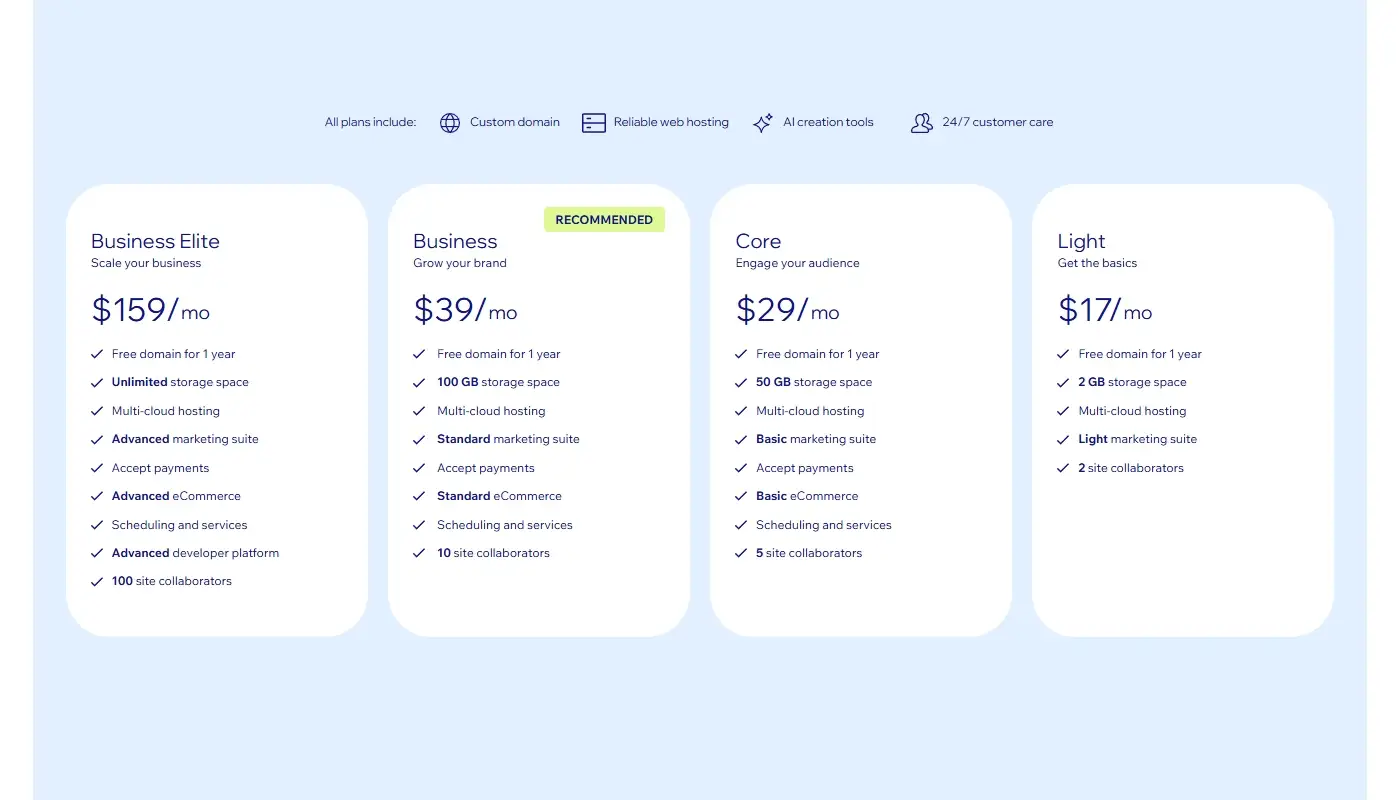
Instead of focusing only on the monthly number, it is better to think in terms of total cost and total time.
With Weebly, the subscription might be lower, but you might spend time fighting design limitations, rebuilding sections that never look quite right, or working around integrations that are not fully supported. With Wix, you often pay more but the workflow is faster. You can publish new pages quicker, update layouts more freely, and avoid the “stuck with the template” feeling.
For many businesses, that speed and control has a direct ROI. If you can launch a new service page or campaign page in one afternoon instead of postponing it for weeks, the platform difference turns into real business value.
What Changes After a Weebly to Wix Migration
Most Weebly owners do not move because they want a totally new identity. They move because they want a cleaner, more modern version of what they already built.
A structured migration typically includes rebuilding the key pages in Wix, moving text and images, matching branding, recreating essential forms, and implementing redirects so old URLs do not break. The migration is also a chance to improve structure, remove outdated pages, and align the navigation with how customers actually browse.