Choosing between Weebly and Wix is rarely a question that comes up when someone is building their first website. It comes up when someone has been running a Weebly site for a while and has started noticing friction, a page that takes too long to get right, an integration that will not connect cleanly, a design that looks increasingly dated compared to competitors. The question shifts from “can I build something?” to “can this platform support what the business needs next?”
Both platforms are hosted builders that handle infrastructure for you. Both have visual editors that work without code. The surface similarities make the comparison feel closer than it is. In practice, the two platforms reflect very different assumptions about how a website gets used over time and those assumptions show up in every editing session, every campaign, and every decision about whether the site is working for the business or against it.
This comparison focuses on the differences that matter in daily use, not feature checklists. The goal is to give Weebly owners a clear picture of what actually changes when moving to Wix and what stays the same.
Editing Experience: Static Comfort vs Ongoing Flexibility
Weebly‘s editor was built around a specific philosophy: make it difficult to produce something broken. Content blocks snap into a fixed structure. Layout options are constrained by the template. The experience is predictable and safe, which is exactly right for a user whose goal is to publish basic information and leave it largely unchanged.

The trade-off appears the moment editing becomes a regular activity rather than a one-time setup. When a business wants to restructure a page, build a new section from scratch, experiment with a different layout for a service offering, or create a dedicated landing page for a campaign, the Weebly editor begins to resist. The constraints that protected beginner users from making visual mistakes now prevent experienced owners from making the changes their business requires.
Wix operates on different principles. The editor treats pages as layouts you design rather than templates you populate. Elements can be positioned freely, sections restructured, spacing adjusted, and mobile layouts controlled independently. The result is an editor that rewards the investment of learning it – the more actively you use the site, the more that flexibility compounds into meaningful differences in how the site performs.
The practical consequence: Weebly sites tend to converge toward a similar visual language because the template enforces it. Wix sites tend to diverge over time as owners shape them around their actual business and the specific visitors they are trying to reach.
Design and Modern Layouts
Design is the dimension where the platform gap is most immediately visible – and where former Weebly users most consistently report feeling a difference after switching.
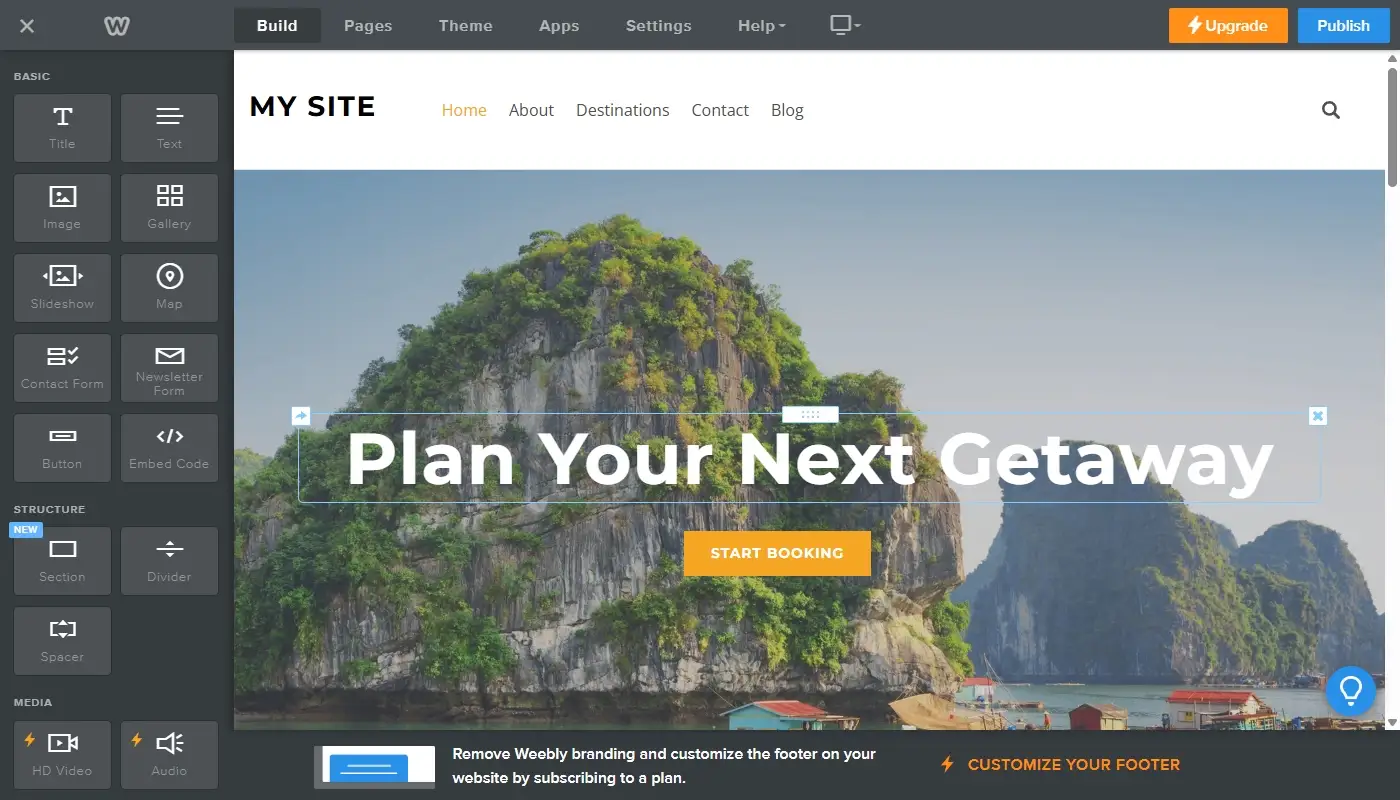
Weebly themes are clean and present reasonably well for simple informational content. The problem is their rigidity. A page that needs to mix a credibility block, a specific service layout, a testimonials section, and a strong call to action in a sequence that reflects how a real visitor makes a decision – that kind of page is genuinely difficult to build on Weebly. The template logic assumes a standard structure and resists deviation from it.
Modern business pages are not standard. They are built around specific audiences, specific objections, and specific actions the owner wants visitors to take. Wix supports that kind of intentional design: more section types, more control over visual hierarchy, more ability to test a layout change without rebuilding the whole page. For a business owner who has spent time trying to make a Weebly page do something the template was not designed for, this flexibility is the most tangible upgrade.
The Wix Review covers in detail how the design tools translate into real workflow differences for businesses coming from Weebly.
SEO and Content Growth
Both platforms cover the foundational on-page SEO elements: editable page titles, meta descriptions, URL slugs, and image alt text. For a small, static site with no content growth ambitions, both are adequate at this level.
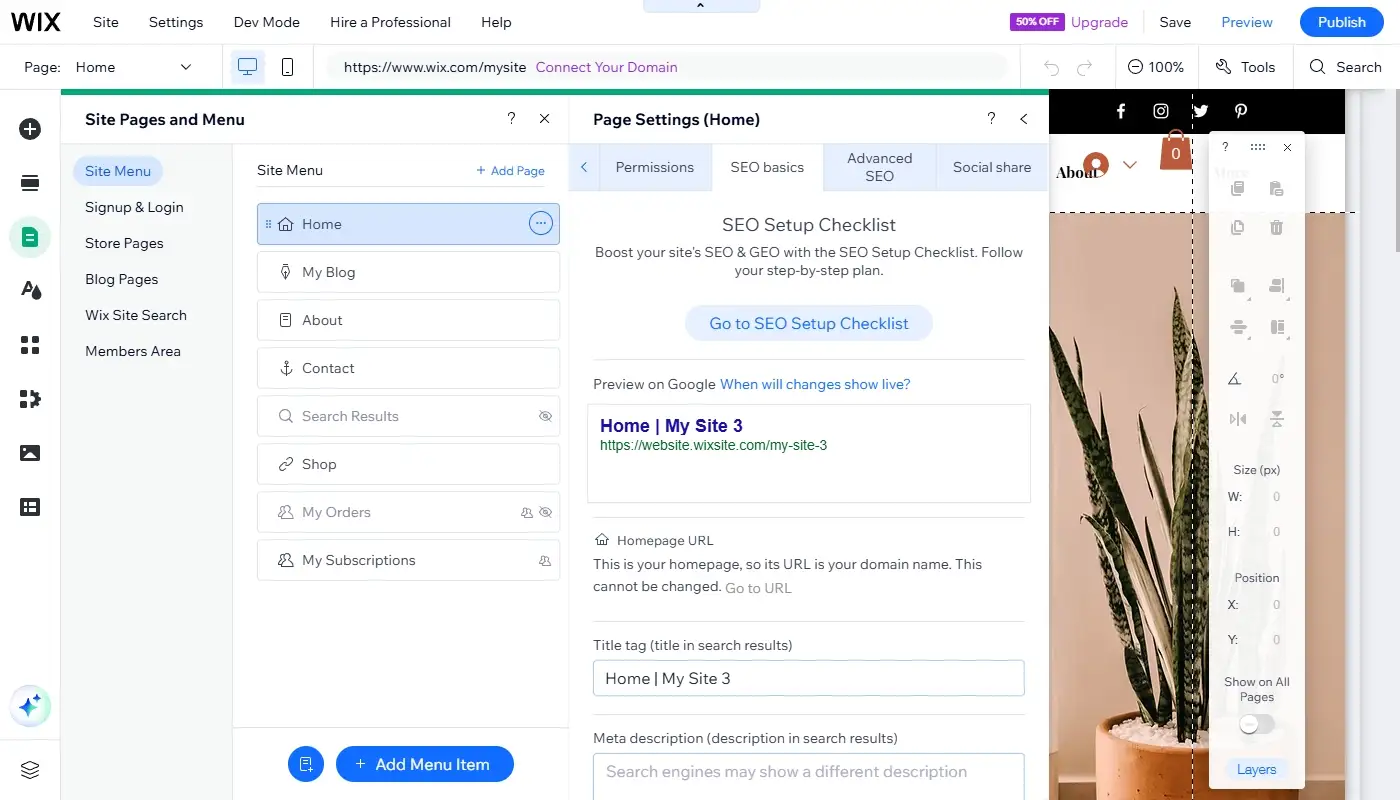
The divergence becomes significant when SEO is treated as an active strategy rather than a set-and-forget configuration. Publishing a consistent flow of content, building topic clusters around core service areas, managing internal links deliberately, and restructuring pages to test different approaches – all of these require a platform that is comfortable with change. Wix is. Weebly increasingly is not.
Wix also supports schema markup, automated redirects, and Google Search Console integration – capabilities that affect how search engines interpret and index the site. More distinctively, Wix has introduced GEO (Generative Engine Optimization) tools that optimize content for AI-powered search environments: the systems behind ChatGPT, Perplexity, and Google AI Overviews. As AI-mediated discovery becomes a growing share of how users find businesses, Weebly’s absence of any investment in this area is a structural disadvantage that will only widen.
The Weebly Review explores this gap in more detail, particularly for businesses where organic traffic is a meaningful acquisition channel.
Integrations and Business Tools
Weebly’s integration ecosystem has been effectively frozen since 2020, when the app store closed to new submissions. The tools available today are the same ones that existed several years ago. Some no longer function correctly. When a business wants to connect a modern CRM, implement marketing automation, or set up advanced analytics beyond basic tracking, the options are limited and the workarounds required to make them function often introduce their own maintenance overhead.
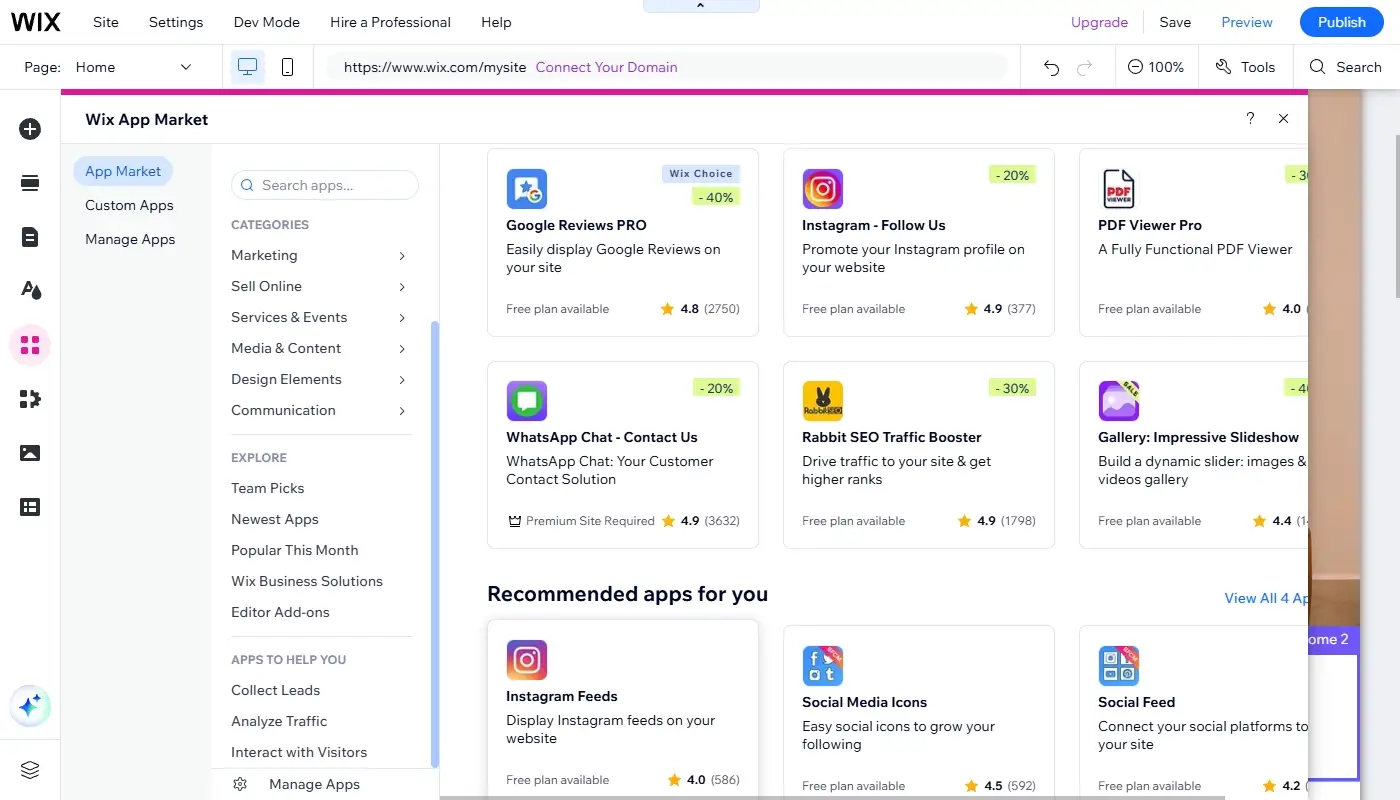
Wix takes a different approach. The platform includes native business tools – appointment booking, contact management, forms with conditional logic, email automation, and ecommerce, that cover the functions most businesses need without requiring third-party subscriptions for each capability. For functions that go beyond native tools, the Wix App Market offers several hundred integrations that are actively maintained.
The operational implication: a business running on Wix typically manages fewer separate tools, deals with fewer embedding workarounds, and spends less time troubleshooting integration failures. For many owners, this consolidation is as significant a reason to move as the design improvements – the site becomes simpler to operate, not just better to look at.
Pricing and Long-Term Value
The subscription comparison favours Weebly on the surface. A lower monthly cost is a real saving – provided the platform is delivering value commensurate with what the business needs from it.
The more revealing comparison accounts for total cost: the subscription, plus the time spent working around platform limitations, plus the separate tools purchased to compensate for missing native functionality, plus the value of campaigns not launched and pages not built because the editor made them impractical. Framed that way, the gap between Weebly and Wix often narrows considerably – and for businesses that use their website actively, frequently reverses.
Wix’s pricing also reflects a platform that is being actively developed. New features ship regularly. The product roadmap is public. The investment you make in building on Wix compounds over time because the platform you are building on keeps improving. With Weebly, the opposite is true: the subscription cost stays relatively stable while the value delivered declines relative to a market that is moving without it.
For a wider perspective on how Wix compares against other alternatives in the same price range, the Best Weebly Alternatives article covers the full landscape.
Which Platform Fits Which Type of Site
Weebly still works well for very small, simple websites that do not change often. If your site is mostly informational and you are comfortable with its current structure, staying put can be reasonable.
Wix is better suited for businesses that expect their website to evolve. If you want to add new services, publish new content, refine your messaging, and improve conversions over time, Wix provides more room to grow without introducing technical complexity.
This difference is also reflected in migration patterns. Many Weebly owners keep their site for years, then switch to Wix once growth demands more flexibility.
The Trajectory Question
One dimension the standard feature comparison misses: where each platform is going, not just where it is today.
Wix ships new capabilities on a rolling basis – AI tools, GEO optimization features, professional design infrastructure for agencies, HIPAA compliance tools for healthcare providers. The platform is responding to how the web is evolving, and users building on Wix today are building on a foundation that will continue to develop around them.
Weebly is not moving. Square has made its strategic direction clear by redirecting new users to Square Online. There is no public roadmap, no changelog, no AI capabilities, and no indication that any of this will change. A Weebly site built today is built on exactly the same foundation as one built several years ago – which means the competitive disadvantage relative to sites built on actively developed platforms compounds every year.
For businesses making a platform decision with a two or three year horizon in mind, this trajectory matters as much as the current feature comparison.
Moving from Weebly to Wix Without Starting Over
The most common concern for Weebly owners considering a move is what happens to the site they have already built. The answer is that a well-structured migration preserves what has value – page content, branding, navigation logic, and any search visibility the site has earned – while replacing what was limiting it: the editor, the template, the integrations, and the structural constraints that made changes difficult.
URL mapping and redirects are the technical component that most directly protects the existing investment. When page addresses change during a migration, a properly implemented redirect plan ensures that bookmarked links, external references, and search rankings all resolve correctly on the new platform rather than leading to error pages. This step is not optional – it is what separates a migration that feels like an upgrade from one that feels like starting over.
On weexly.net, the Weebly to Wix migration service is built around exactly this: a clean, planned transition that transfers what works, improves what was constrained, and leaves the business on a platform equipped to keep growing.